 PicSwipe
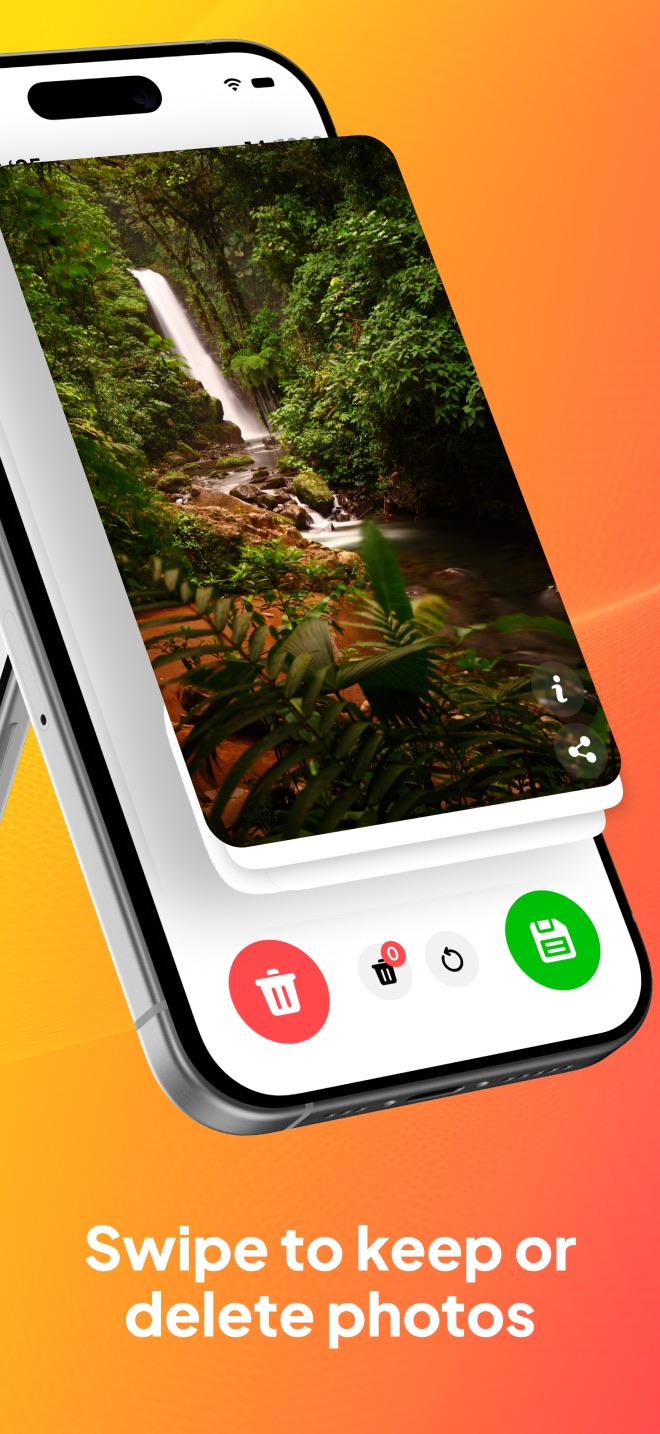
You've seen it on TikTok or heard a friend mention it: an app where you clean your camera roll the same way you'd use a dating app — swipe left to delete a photo, swipe right to keep it. The app you're looking for is a swipe photo cleaner, and PicSwipe is a free one built exactly for this.
Why swiping beats the Photos app for cleanup
Apple's Photos app is built for browsing, not decision-making. Deleting there means tapping tiny thumbnails one by one in a grid, zooming in to check if a shot is blurry, and losing your place every time you get distracted. That's why most people give up with 10,000 photos still on their phone.
Swipe cleaning fixes the three things that make photo cleanup painful:
- One photo, one decision. Each photo appears full-screen as a card. You see it clearly and decide instantly — no squinting at thumbnails.
- Muscle memory does the work. Left is gone, right stays. After a dozen photos you stop thinking about the mechanics entirely, and each decision takes under a second.
- A clear finish line. PicSwipe groups your library by month, so “clean March 2024” is a five-minute job with a progress counter — not an endless scroll.
How to swipe-clean your photos with PicSwipe
- Download PicSwipe free from the App Store and allow photo access (photos never leave your device).
- Pick a month. Your library is automatically organized into monthly stacks — start with the current month or jump to the messiest one.
- Swipe left to delete, right to keep. A red DELETE or green KEEP stamp confirms each choice. Hit undo if your thumb slips.
- Review the PhotoBin. Swiped-away photos wait in the PhotoBin. Give them one last look, restore anything you want, and permanently delete the rest.
- Watch the storage counter. After each session PicSwipe shows exactly how many megabytes you freed — and your all-time total.
Try swipe cleaning free
Download PicSwipe and swipe through your first month of photos in minutes.

What makes PicSwipe different from other swipe apps
Several apps offer swipe-style deletion, but they differ in what happens around the swipe. PicSwipe focuses on three things: month-by-month organization so every session has a beginning and an end, a PhotoBin safety net so mistakes are always reversible, and total privacy — all processing happens on your iPhone, with no accounts, no uploads, and full offline support. It's free to download, so the easiest way to compare is to clean one month and see how it feels.
Frequently asked questions
Is there a free app to swipe and delete photos?
Yes. PicSwipe is free to download on the App Store. You can swipe left to delete and right to keep photos across your whole library, with an optional premium subscription for extra features.
Does swiping left delete the photo immediately?
No. In PicSwipe, photos you swipe left go to the PhotoBin first, where you can review them, restore any you want back, and then delete the rest permanently.
Does the swipe photo cleaner work offline?
Yes. PicSwipe processes everything on your iPhone. No internet connection is needed and your photos are never uploaded anywhere.