 PicSwipe
Search “photo cleaner” on the App Store and you'll get pages of near-identical results. Instead of a listicle of ten apps you won't try, here's the five-question checklist that actually separates them — and an honest look at how PicSwipe answers each one.
The five questions that matter
1. Where are your photos processed?
Your camera roll is among the most private data you own. Some cleaners upload photos to cloud servers for “AI analysis” — read the privacy policy. PicSwipe processes everything on-device: no uploads, no account, and it works in airplane mode. What's on your phone stays on your phone.
2. What stands between you and a mistake?
A cleaner that deletes instantly is a liability. Look for layered safety: PicSwipe gives you an undo button mid-session, a PhotoBin where every swiped photo waits for review, and iOS's own Recently Deleted 30-day grace period after that. Three nets before anything is truly gone.
3. Manual control or automatic detection?
Auto-detection sounds efficient, but algorithms can't tell your only photo of grandma (slightly blurry) from a genuine misfire. Swipe-based cleaning keeps you as the judge while still being fast — each full-screen decision takes under a second. For irreplaceable memories, human-in-the-loop is the safer architecture.
4. Does it make progress visible?
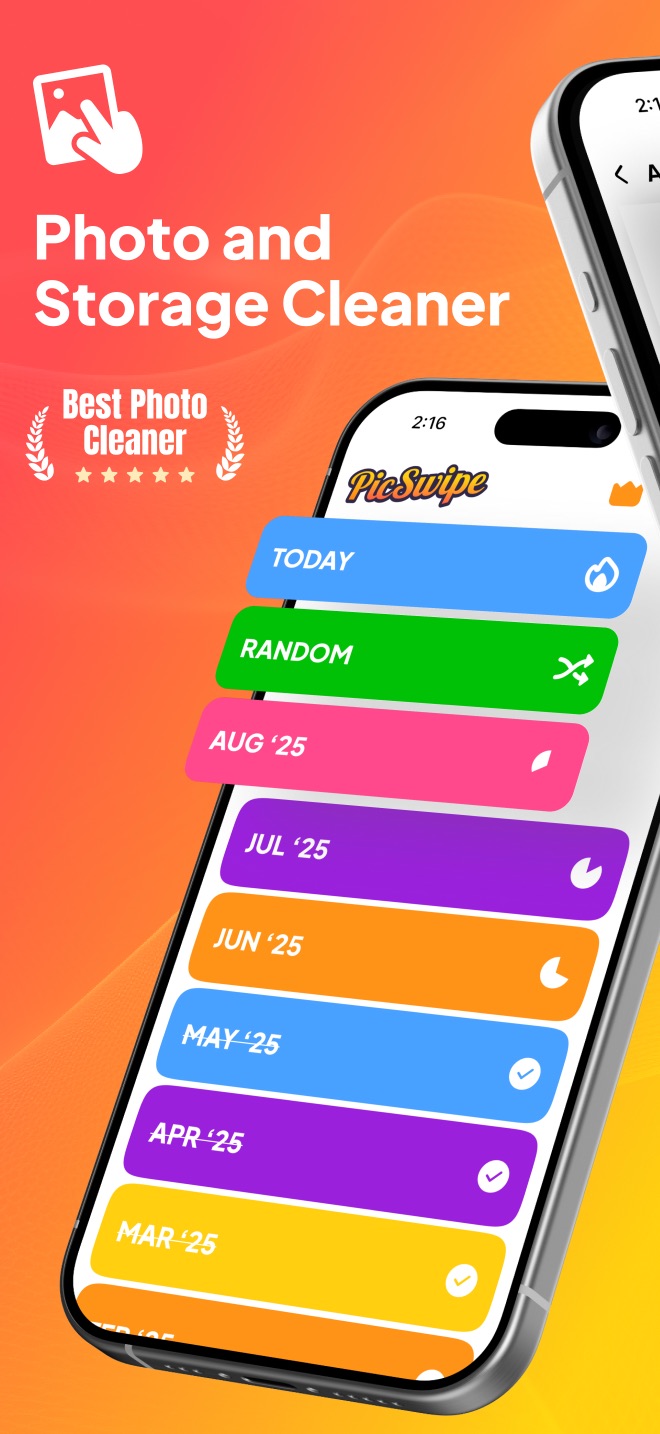
Cleaning 10,000 photos is a campaign, not a task. Without structure you'll quit. PicSwipe organizes the library into monthly collections with progress rings and checkmarks, plus a storage-saved counter that gamifies the grind. Structure is the difference between apps that get used twice and apps that finish the job.
5. What does it really cost?
Many cleaners advertise free, then paywall the actual deleting behind $30–60/year. PicSwipe is free to download and free to clean with — swiping, the PhotoBin, and monthly organization all work without paying. An optional premium subscription adds conveniences like instant PhotoBin access anytime, but the core job is genuinely free.
Judge it yourself in five minutes
The best photo cleaner is the one you'll actually use. Download PicSwipe free and clean one month today.

Does the iPhone have a built-in photo cleaner?
Partly — and it's worth exhausting the free options before you install anything. iOS ships with a Duplicates album (Photos → Albums → Utilities) that finds exact and near-exact copies and merges them, keeping the highest-quality version. It also has Recently Deleted, which quietly holds everything you've deleted for 30 days; if you've never emptied it, that alone can be gigabytes. Between those two, plus reviewing the Screenshots album, many people reclaim enough space to stop there.
What iOS doesn't give you is a fast way through the other 90% of the library — the thousands of photos that aren't duplicates, aren't blurry, and just aren't worth keeping. Apple's grid view makes you tap, tap-select, scroll, and second-guess. That's the specific gap a swipe cleaner fills. Start with the built-in duplicates tool and the storage checklist, and only add an app if you still have a backlog to get through.
A note on subscriptions
The most common regret with photo cleaners isn't a bad app — it's a recurring charge for a job you finished in a weekend. Several popular cleaners run on weekly plans, which works out to a lot more per year than the annual price suggests. Before subscribing, ask whether you'll genuinely open the app next month, and make sure you know where to cancel (iOS Settings → your name → Subscriptions — never inside the app itself). If you're already in that position, we wrote a walkthrough for people leaving SwipeWipe and looking for an alternative that covers the cancellation steps and what to check before switching.
The honest bottom line
If you want automated duplicate merging for exact copies, Apple's built-in Duplicates album already does it free (see our duplicates guide). What Apple doesn't give you is a fast, safe, satisfying way to make the thousands of keep-or-delete judgment calls only you can make. That's the job PicSwipe was built for — and since it costs nothing to try, the five-minute test beats any review: download it, clean one month, and see if your thumb agrees.
Frequently asked questions
What is the best free photo cleaner app for iPhone?
PicSwipe is a strong choice if you want manual control with speed: free download, swipe-based cleaning, month-by-month organization, a PhotoBin safety net, and fully on-device processing with no account required.
Are photo cleaner apps safe to use?
The key question is where processing happens. Prefer cleaners that work fully on-device, like PicSwipe — your photos never leave your iPhone, no account is needed, and deletion always goes through iOS's own confirmation and Recently Deleted safety net.
Do photo cleaner apps delete photos automatically?
Some auto-detect duplicates or blur and offer batch deletion; swipe-based cleaners keep every decision in your hands. For irreplaceable personal photos, human-in-the-loop cleaning is the safer default.
Does the iPhone have a built-in photo cleaner?
Partly. iOS includes a Duplicates album under Photos → Albums → Utilities that finds and merges exact and near-exact copies for free, and emptying Recently Deleted reclaims space from photos you removed in the last 30 days. What iOS does not provide is a fast way to make keep-or-delete decisions on the rest of the library, which is the gap a swipe cleaner fills.