 PicSwipe
A camera roll with 15,000 photos didn't get messy in a day, and it won't get clean in one heroic session. What actually works is shrinking the problem: don't clean “your photos” — clean one month. Here's the system.
Why camera roll cleanups usually fail
Most people open Photos, scroll around deleting things at random, and quit after ten minutes because there's no visible progress. The library is an undifferentiated wall of thumbnails; there's no start, no finish, and no score. Cleanup fails not from laziness but from missing structure.
The month-by-month system
PicSwipe is built around exactly this structure — it splits your entire library into monthly stacks, each with its own progress ring:
- Open PicSwipe and pick one month. Recent months first: you still remember which brunch photo was the good one. The home screen shows every month with its completion status, so you always know where you left off.
- Swipe through it. Left deletes, right keeps, undo fixes slips. A 300-photo month is roughly five minutes. Full-screen cards mean you judge every photo on sight — no thumbnail squinting.
- Close it out. Review the PhotoBin, permanently delete, and enjoy the storage-saved tally. The month gets a checkmark — done is visible.
- Repeat backwards. One or two months per sitting. Strikethrough month names pile up like crossed-off to-dos.
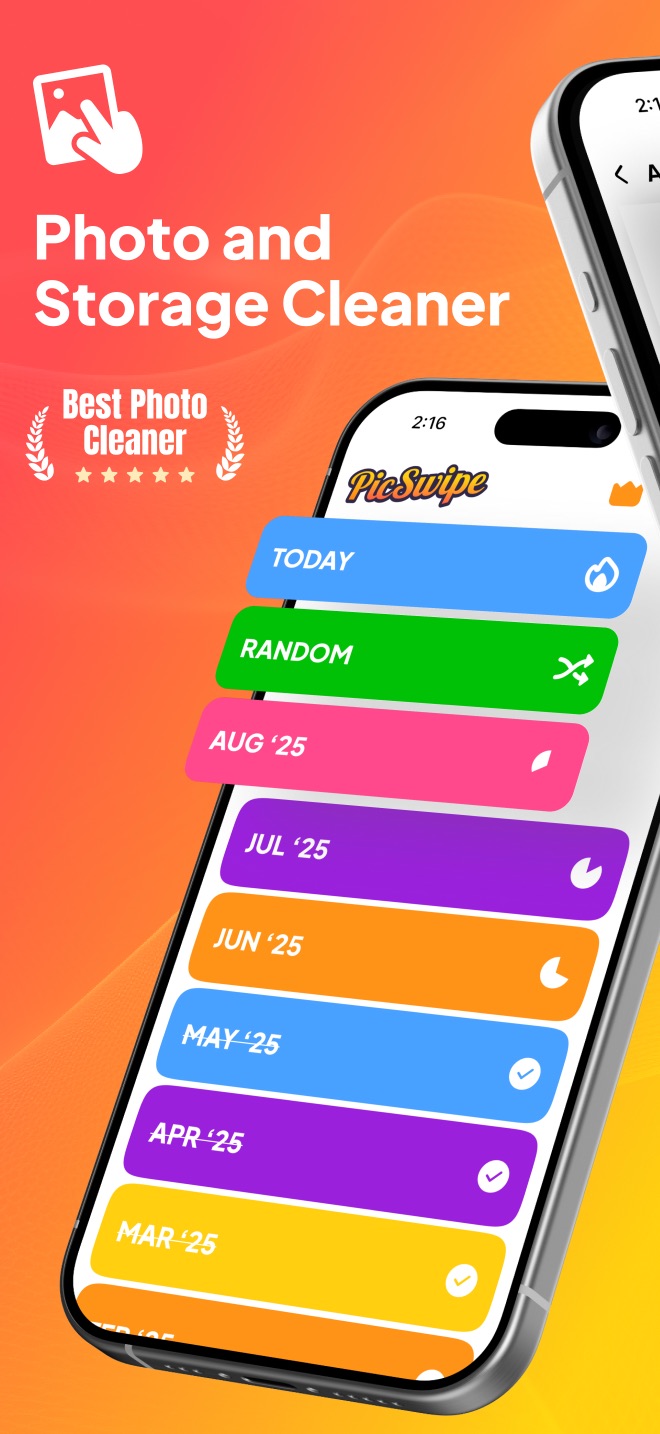
Start with one month
Don't clean your camera roll. Clean March. PicSwipe makes each month a five-minute session with a finish line.

What to delete without hesitation
- Duplicates and burst-shot rejects (keep the single best frame)
- Screenshots that served their purpose — receipts, directions, memes already sent
- Blurry, dark, or accidental pocket shots
- Photos of things, not memories: parking spots, Wi-Fi passwords, whiteboards
Keeping it clean forever
Once you've caught up, maintenance is one short session when each month ends — five minutes to swipe through, empty the bin, done. Your camera roll stays a collection of photos you actually chose to keep, and the storage warning never comes back.
Frequently asked questions
How long does it take to clean up a camera roll with 10,000 photos?
With a swipe cleaner at roughly one photo per second, 10,000 photos is under three hours of total swiping. Spread across a couple of weeks as short sessions, it's painless — and the monthly progress tracking means you never lose your place.
Should I clean my camera roll from oldest or newest photos?
Start with recent months while the context is fresh, then work backwards. Old months are actually faster to judge — if a photo hasn't mattered in five years, the decision makes itself.
How do I keep my camera roll clean after the big cleanup?
Close out the current month once it ends. One five-minute swipe session per month keeps the library at inbox zero permanently.