 PicSwipe
Nobody experiences their life as one continuous scroll — we remember in chapters: that December, last summer, the month of the wedding. Your camera roll should work the same way. Here's how to get an automatically month-organized photo library, with zero manual sorting.
What the Photos app gives you (and where it stops)
Apple's Photos app has a Months view (Library → Months), but it's a highlights reel — it curates a few representative shots per month rather than showing everything. It also can't answer the questions that matter for managing a library: Which months have I reviewed? Which are bloated with clutter? Where did I leave off? For browsing it's pleasant; for organizing it's a dead end.
Month-by-month, automatically
PicSwipe builds its entire interface around monthly organization. Open it and your whole history appears as a colorful stack of month cards — Aug '25, Jul '25, Jun '25 — each showing its review progress:
- Every photo, not highlights. Each month contains everything you shot, in order, with a running count like 14/1299.
- Progress you can see. Completed months get a checkmark and strikethrough; in-progress months show a progress ring. Your library becomes a to-do list that fills itself in.
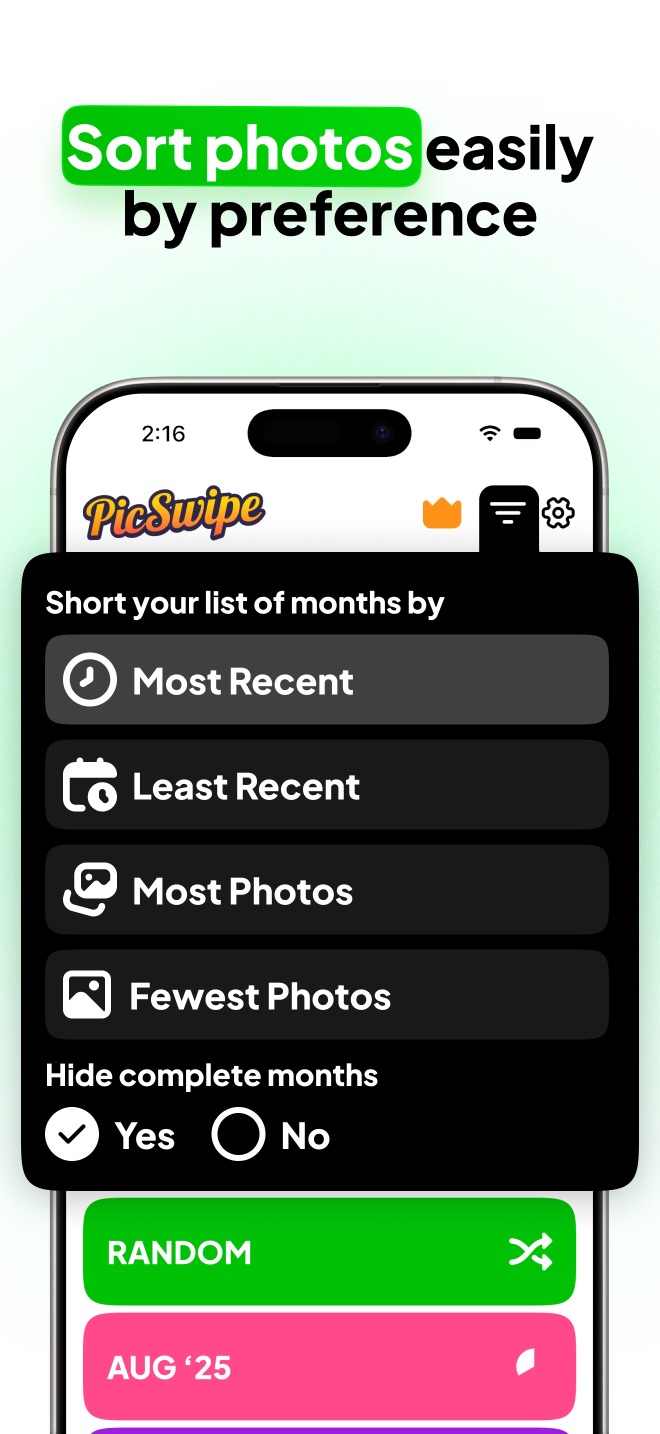
- Sort months your way. Most recent first, oldest first, most photos, or fewest — and hide completed months so the list shows only what's left.
- Today and Random decks for quick sessions when you don't want to commit to a whole month.
Organization that cleans as you browse
The monthly structure isn't just for finding things — it's a cleanup engine. Because each month is a bounded session, you can review your entire library incrementally: swipe right on keepers, left on clutter, and close out the month with the PhotoBin. Organizing and decluttering stop being separate chores; browsing your photos is cleaning them.
See your library in months, not miles
PicSwipe organizes every photo you've ever taken into monthly collections the moment you open it. No setup, no sorting.

Frequently asked questions
Can the iPhone Photos app group photos by month?
The Photos app has a Months browsing view, but it curates highlights rather than showing everything, and it offers no way to track which months you've reviewed or cleaned. PicSwipe shows every photo in complete monthly collections with progress tracking.
Do I need to manually sort photos into monthly albums?
No. PicSwipe reads the date each photo was taken and builds the monthly collections automatically — your entire history is organized the first time you open the app.
What is On This Day in PicSwipe?
On This Day shows the photos you took on today's date in previous years — a built-in way to resurface old memories while you keep your library tidy.