 PicSwipe
The number one reason camera rolls stay cluttered isn't laziness — it's fear. What if you delete the wrong photo? What if your thumb slips? Understanding the safety nets between a swipe and permanent deletion turns cleanup from nerve-wracking to fearless. When you delete with PicSwipe, there are three.
Safety net 1: Undo, instantly
Swiped left on the wrong photo? The undo button pulls it straight back into the deck. Slip fixed in one tap, mid-session, no digging through menus.
Safety net 2: The PhotoBin
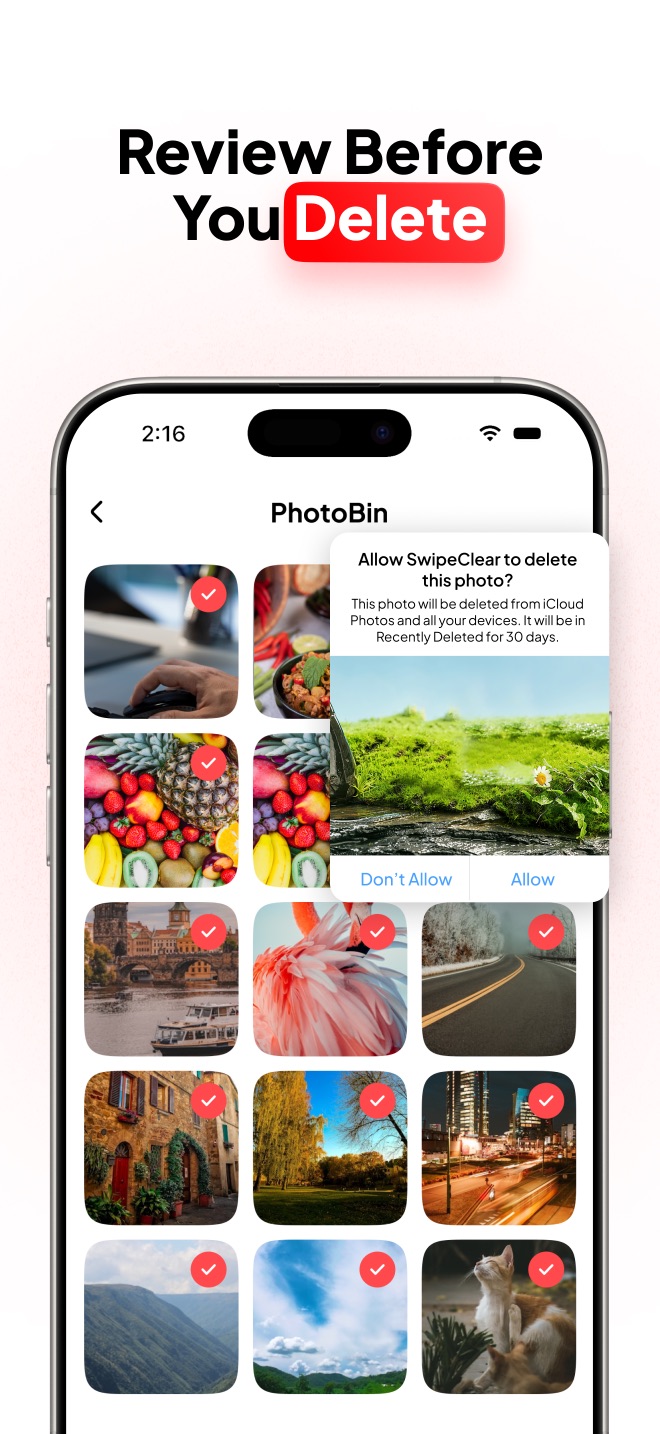
Nothing you swipe is deleted from your library. Every left-swipe lands in the PhotoBin — a holding area inside PicSwipe where photos wait for your final review:
- Open the PhotoBin anytime to see everything queued for deletion as a browsable grid.
- Tap any photo to restore it — it returns to your library as if nothing happened.
- Only when you confirm deletion does anything actually leave your photo library — and iOS asks for one final system confirmation on top.
This two-step design means a careless moment can never cost you a memory. You make fast decisions while swiping, then calm, deliberate ones in the bin.
Safety net 3: iOS Recently Deleted (30 days)
Even after you empty the PhotoBin, iOS holds deleted photos in Recently Deleted for 30 days:
- Open Photos → Albums → Recently Deleted (Face ID required).
- Select the photo and tap Recover.
One flip side worth knowing: those photos still occupy storage until the 30 days pass. If your goal is freeing space now, empty Recently Deleted manually after a big cleanup.
Clean fearlessly
With undo, the PhotoBin, and Recently Deleted between you and permanent deletion, there's no reason to hoard clutter.

Why safety makes you faster
Counterintuitively, these nets are what make swipe cleaning so quick. When a mistake costs nothing, you stop agonizing over each photo and trust your instincts — swipe, swipe, swipe. Wrong calls get caught in the PhotoBin review, and everything else gets a 30-day grace period. Decisive and safe at the same time.
Frequently asked questions
How do I recover a photo I deleted on iPhone?
Open Photos → Albums → Recently Deleted, authenticate with Face ID, select the photo, and tap Recover. Photos remain there for 30 days after deletion. If you deleted it in PicSwipe but haven't emptied the PhotoBin yet, restore it from the PhotoBin with one tap.
What is the PhotoBin in PicSwipe?
The PhotoBin is a staging area for everything you swipe left. Photos wait there — untouched in your library — until you review and confirm permanent deletion, so a mis-swipe can always be reversed.
Are photos recoverable after 30 days in Recently Deleted?
Only from a backup. If the photo was synced to iCloud or captured in an iCloud/iTunes backup made before deletion, restoring that backup can bring it back. Otherwise it's permanently gone after Recently Deleted expires.